First your broker account, then your WiFi Money access. Follow the steps and find out where to go for your lessons and tools.
Step 01 / 07
Join Telegram
Access to WiFi Money Club goes through Telegram. That's the first step. Here you'll receive further instructions and stay informed about live sessions and signals.
First account: this is your broker account. You activate WiFi Money access separately in the next step.
✓
Check before you continue
Your broker registration is complete and you know exactly which email address you used.
Step 03 / 07
Activate WiFi Money Club
This is the website where you activate your account and then find everything for free: Academy, signals, scanner, journal and community. Use exactly the same email address you just used with the broker, so both accounts are linked automatically.
Why log in twice? TradeQuo and WiFi Money Club are two separate environments. Your broker login does not automatically open your Academy. Use the same email address and create your own WiFi Money password during activation.
✓
Check before you continue
On the WiFi Money activation page you entered the same email address as with TradeQuo.
Step 04 / 07
Verify your email and choose a password
Request the verification code and enter the code you receive by email. This confirms the account really belongs to you.
Also check your spam folder if the code doesn't arrive. Request a new code if the previous one has expired.
Choose a secure password with a mix of letters, numbers and symbols, and complete the activation.
Only use the code on the official activation page. Never share your password or verification code via Telegram.
✓
Check before you continue
Email verification and activation are confirmed.
Step 05 / 07
Log in to your WiFi Money dashboard
After activation you can log in with your email address and the password you just created.
Go to the login via the WiFi Money platform.
Use the email address from the activation and your WiFi Money password.
Check that you can open the Dashboard, Academy and tools.
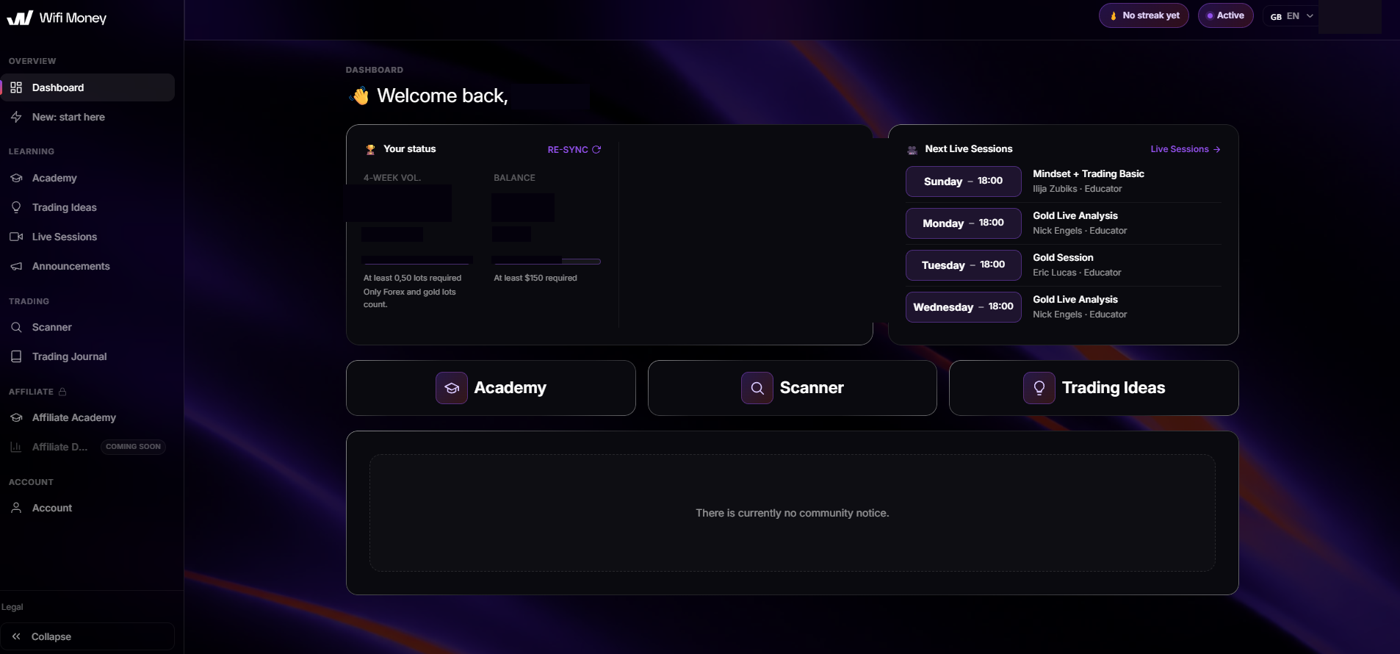
Open WiFi Money Club ↗Your starting point: status at a glance, shortcuts to Academy, Scanner and Trading Ideas, and the upcoming live sessions. · Tap to enlarge
✓
Check before you continue
You can see your dashboard. If not, check your email address and use the WiFi Money password reset.
Step 06 / 07
Start with Getting started and the Academy
Start with the Academy to master the basics and join the next live session to see how everything comes together in practice.
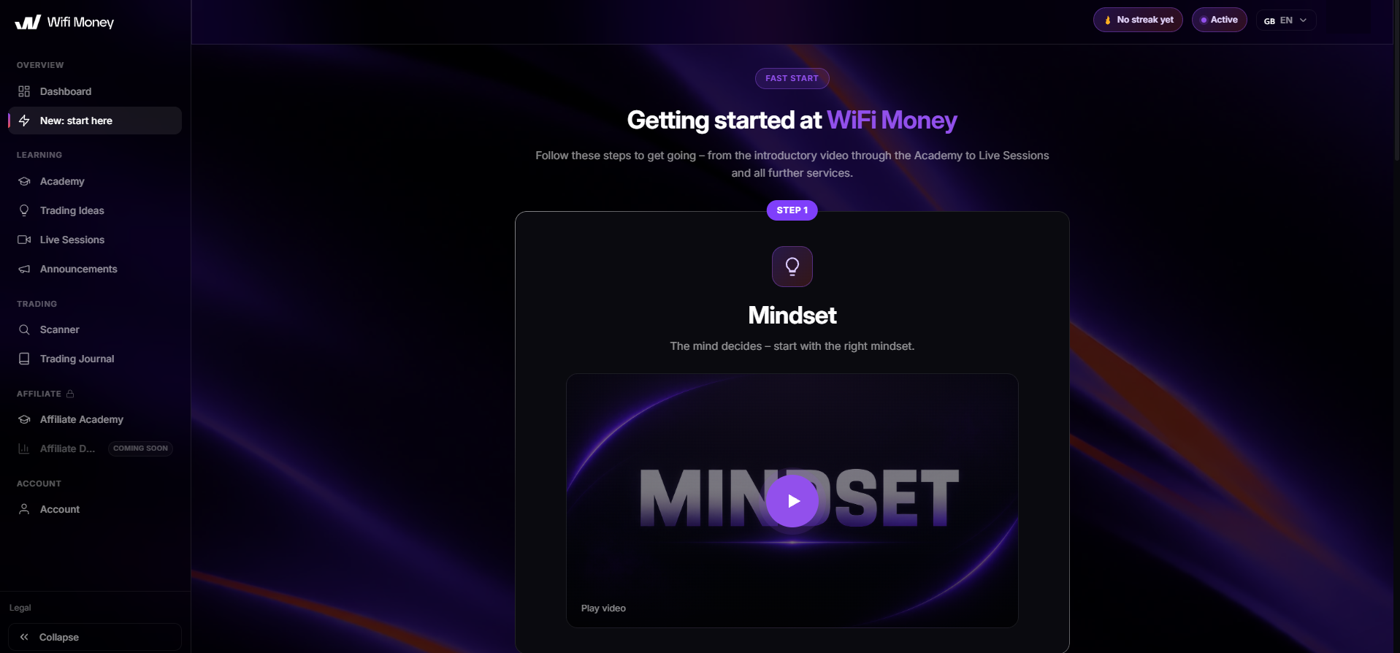
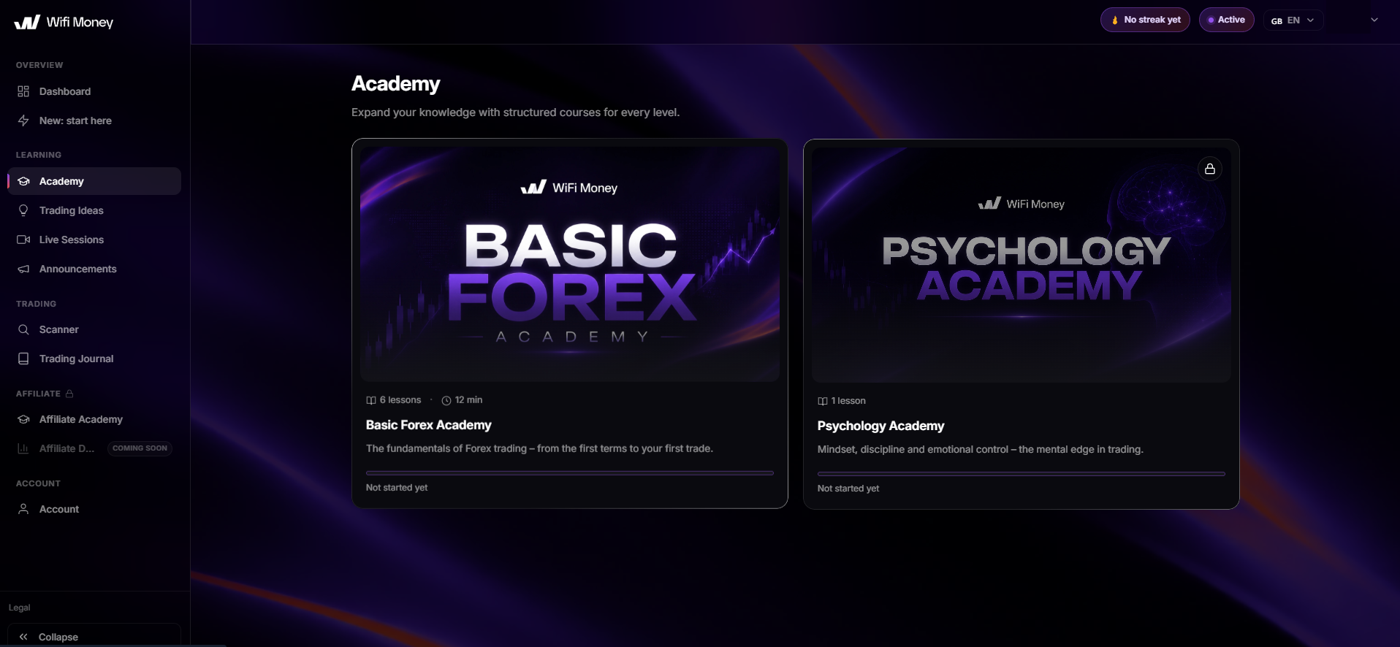
A step-by-step introduction that takes you from the first video to the Academy and beyond, so you never have to guess what the next step is. · Tap to enlargeStructured courses per level, with a clear progress bar per lesson so you can see exactly where you left off. · Tap to enlarge
✓
Check before you continue
You've found the introduction and know where your first Academy lesson is.
Step 07 / 07
Use your tools and build a routine
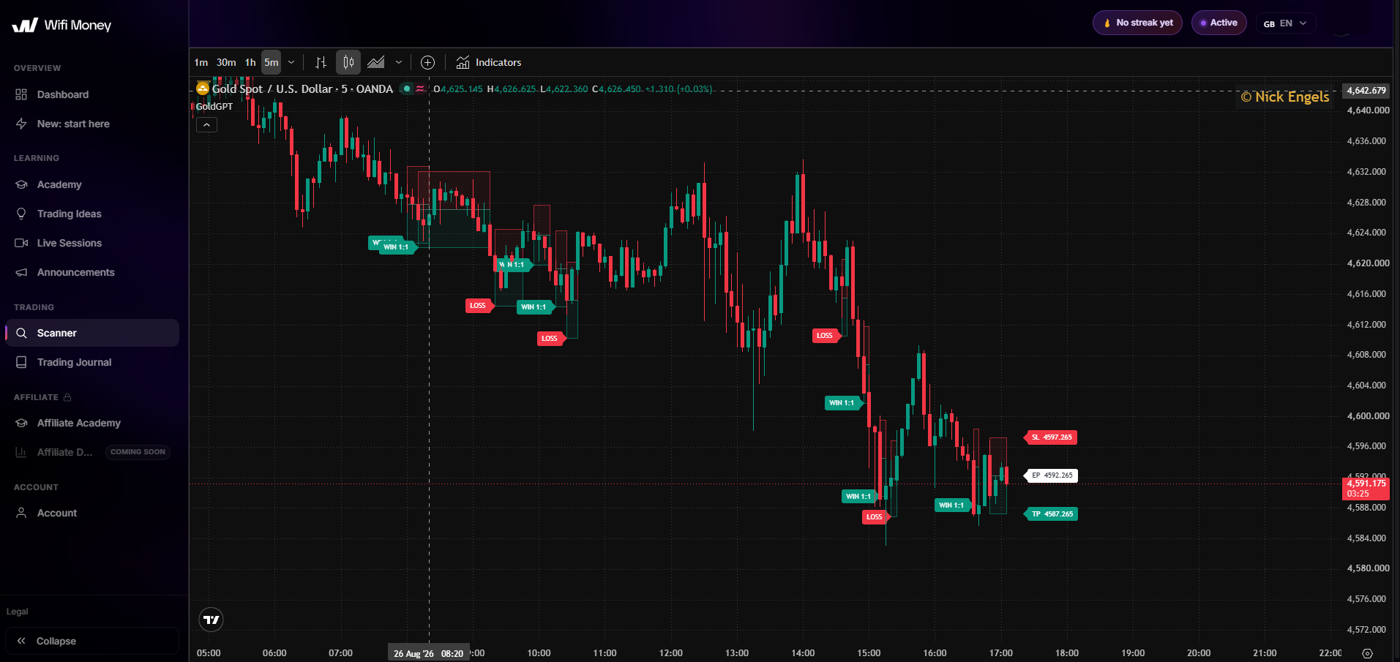
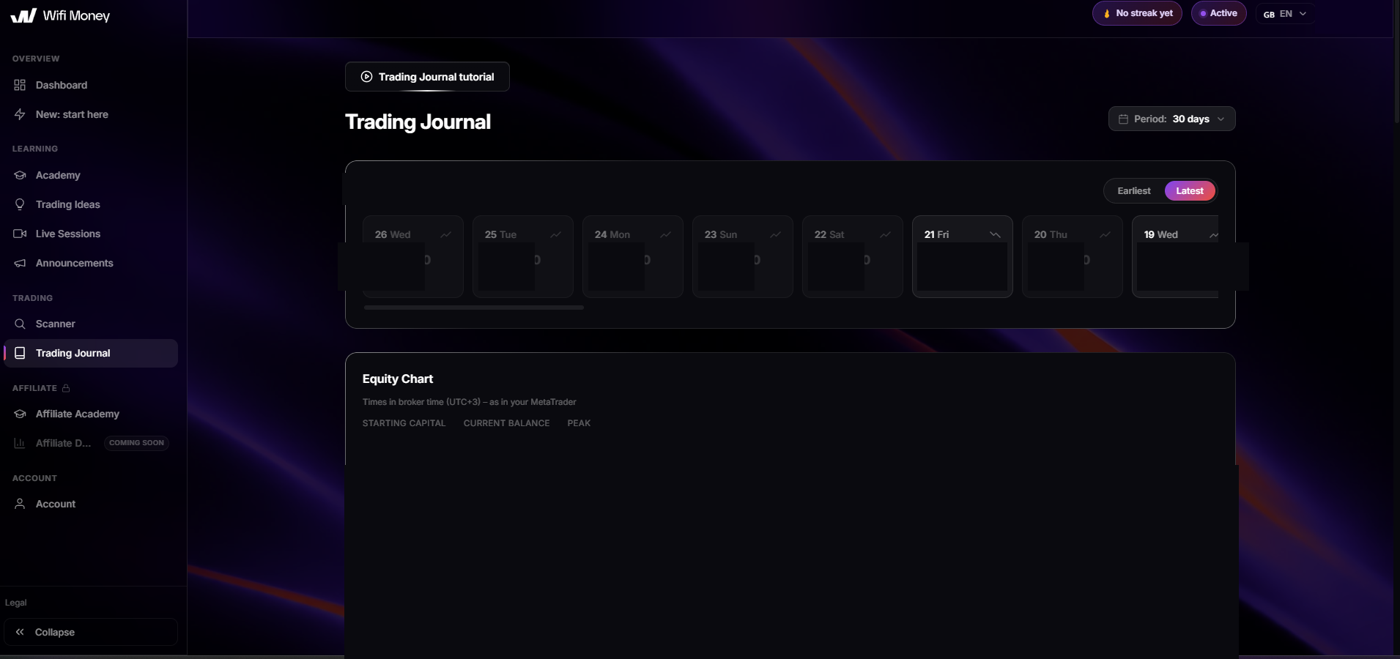
From the dashboard, go to Trading Ideas, Market Scanner and Trading Journal. Use analyses to learn and record your own considerations.
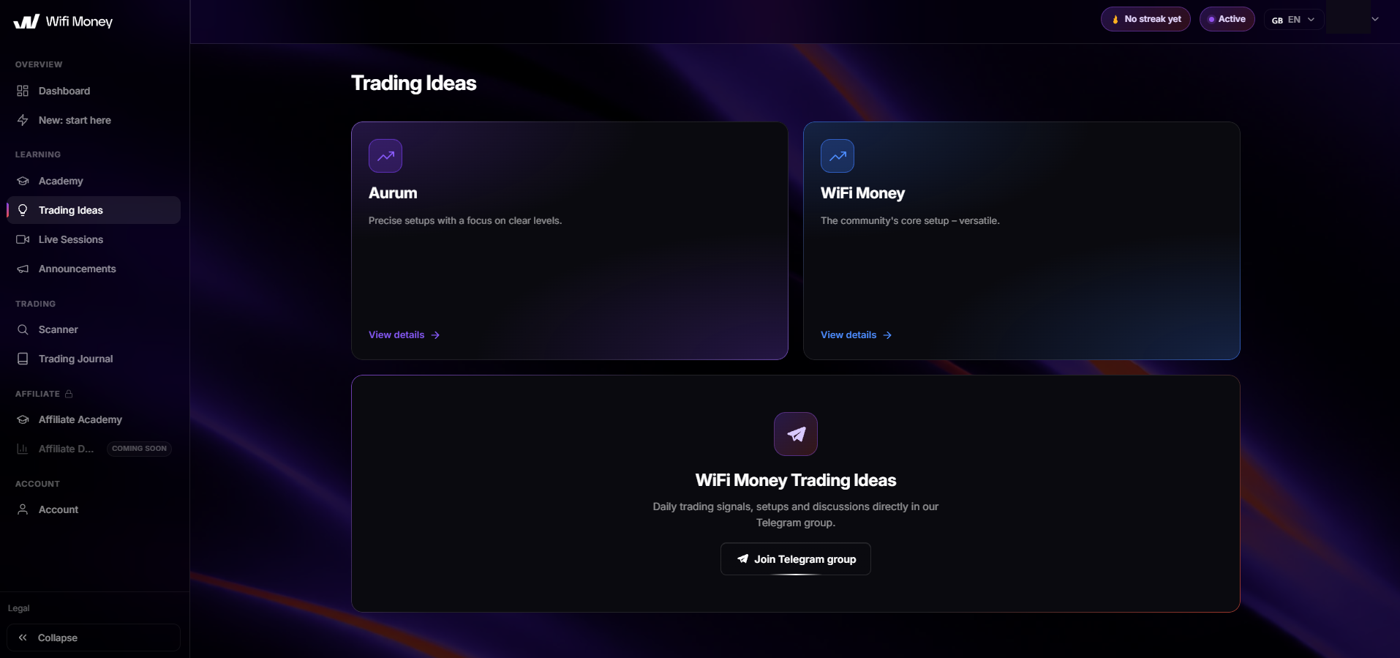
Overview of the different setups, with direct access to the Telegram group for daily signals and discussions. · Tap to enlargeLive charts with marked entry and exit points, so you see in practice how an analysis comes together. · Tap to enlargeA daily overview and an equity chart to track your progress. In this example the figures have deliberately been left out. · Tap to enlarge
✓
Check before you continue
You can find the tools and know where to track your trades and lessons learned.
Guide completed
You know where to continue.
This progress only tracks which explanations you've viewed. Always check your account status on the platform itself.
Structured lessons that take you from the basics to advanced concepts: how charts work, how to manage risk and how to build your own strategy. Not loose videos, but a well-designed curriculum.
02
Trading Signals
Receive entry points and analyses as soon as the market moves, including the reasoning behind them. So you learn not only what is happening, but also why. And over time you can analyse better yourself.
03
Market Scanner
A tool that continuously scans the market for opportunities, so you don't have to go through dozens of charts yourself. You see at a glance where the movement is and where it's worth looking further.
04
Trading Journal
Keep a clear record of all your trades: entry, exit, result and the reason behind each decision. By looking back you see patterns in your own behaviour and improve your process step by step.
05
Live Sessions
Watch and think along live during market analyses, so you see how an experienced eye looks at the market in the moment. You can ask questions directly, so nothing stays unclear.
06
Community
Become part of a group of people on the same path: sharing experiences, keeping each other sharp and learning together from both successes and misses. Trading doesn't have to be a lonely journey.
07
Support
Getting stuck can always happen. Whether it's a technical question or something about a trade. There's always someone available to help you, so you don't stay stuck.
08
Trading Plans
Ready-made structures for working with discipline: with predefined rules for entry, exit and risk, so emotion doesn't take over at the moment it really matters.
If you get stuck
Frequently asked questions
My activation isn't working. What now?
use exactly the same email address you registered with at the broker. A different email address can cause the activation to fail. Do you have questions or are you stuck during activation? Then contact the person or organisation you received access from.
Which password do I use where?
For TradeQuo you use your broker login. For WiFi Money you use the password you created during the WiFi Money activation. The email address must match.
I can't see the dashboard yet.
Check that you fully completed the WiFi Money activation. Check your email, including spam, and try the password reset on the right platform. If access is still missing, ask for support via Telegram.
Is access free?
The WiFi Money information provided describes access as free. Check the current access conditions on the platform; any trading costs at the broker are separate from this.
Personal help
Shall we take a look together?
Go through the steps first. If you get stuck after that, we'll help you further.